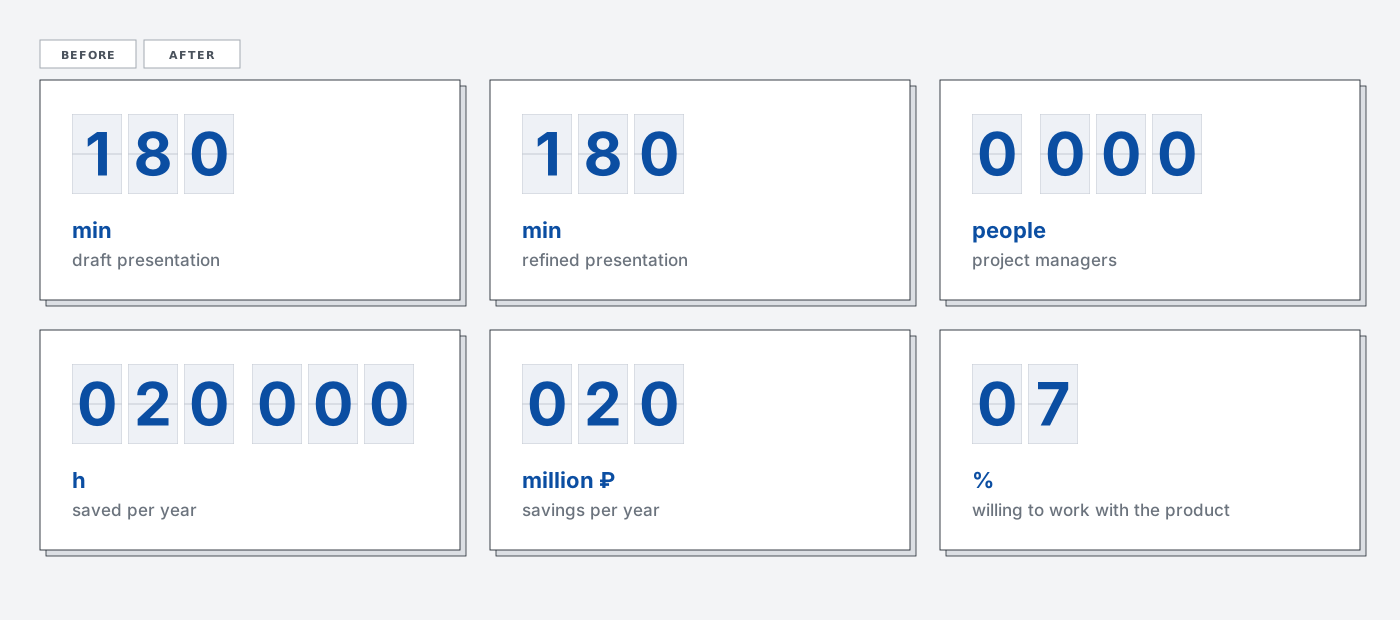
Presentations in a large company mean hours of repetitive manual work every week. At the metals company where I work, a product I built now does that work. It takes text, turns it into a branded presentation, and returns an editable PowerPoint. It runs inside the corporate perimeter on the company’s internal model. It is now being rolled out to roughly 50,000 employees and saves the company tens of millions of rubles.
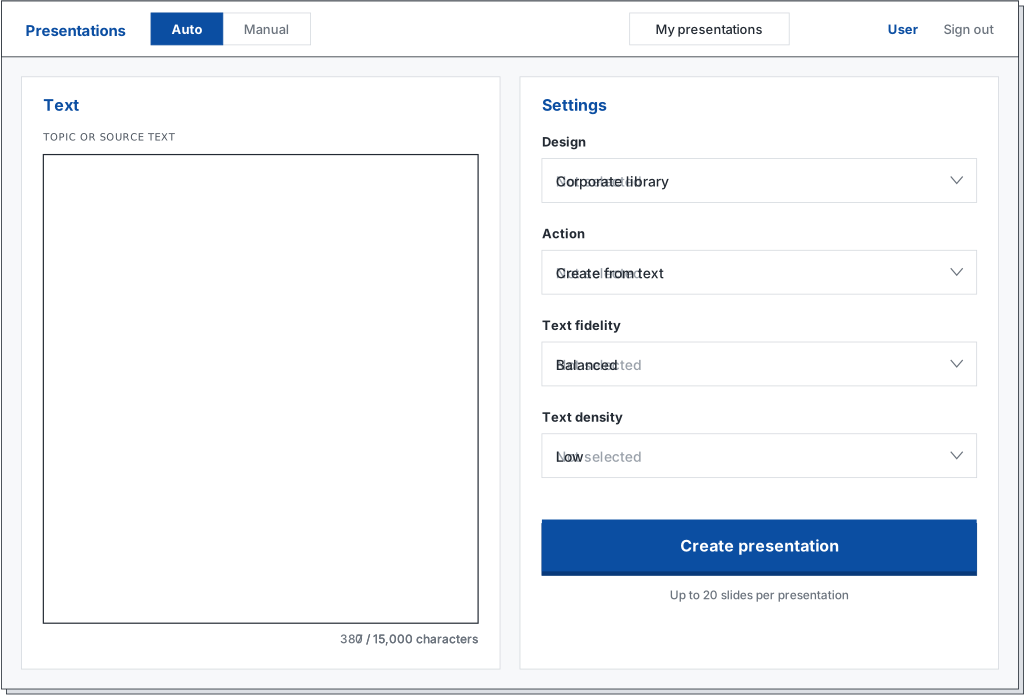
The product has two screens. On the first, a user enters a topic or up to 15,000 characters of source text and chooses the visual style, how much the text may change, and slide density. There are two modes: the system chooses templates automatically, or the user chooses a template for each slide. After generation starts, a review screen opens: a slide strip on the left, the selected slide in the center, and a score with issue tags below it. A finished deck of up to 20 slides can be downloaded as an editable PPTX.
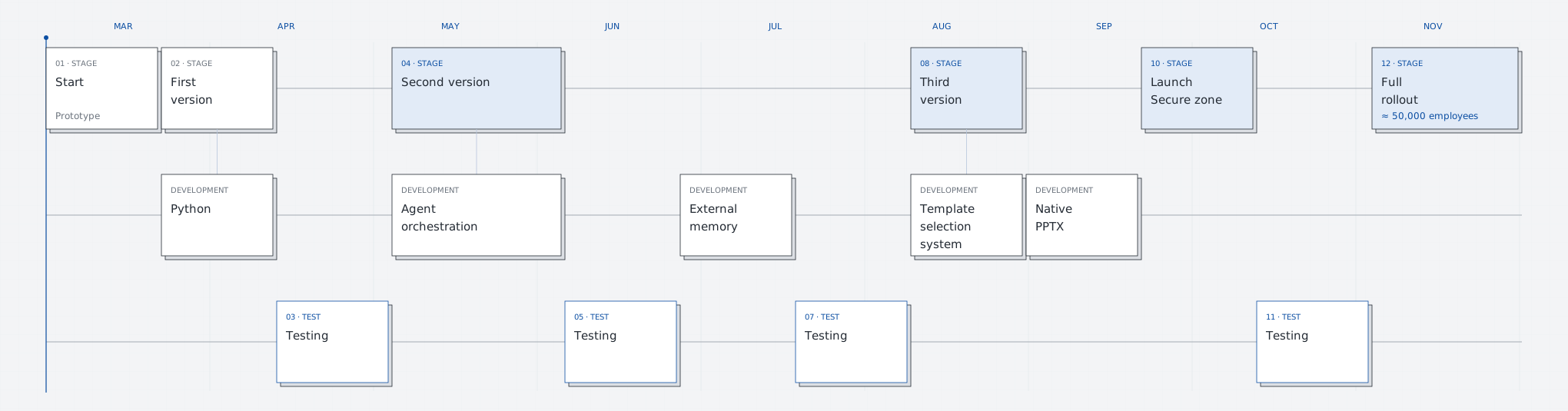
It started with a choice. The company was considering ready-made Russian solutions, but none fit: some solved a different problem, others were too expensive. I was asked to build an alternative in two weeks. I made the prototype in n8n, a low-code platform where a process is assembled from blocks and arrows. Context lived in Google Sheets and the templates were prepared in advance. After two weeks, the result could be compared with vendor solutions, and the company decided to develop it.
The work then continued in monthly sprints. Each sprint ended either with a new architecture or with user testing. Agents, Claude Code, and Codex CLI wrote most of the code. I designed the system, assigned tasks, and accepted the results.
The product itself is also an agent: it does the work of a presentation designer. I was building one agent with the help of another. This kind of work has a name, Agentic Experience, by analogy with User Experience. It has two sides: designing an environment in which an agent can work clearly, and designing how a person works with that agent. This article is about both.
Version one: Python and one agent
The first version was written in Python. The server used FastAPI, the interface was plain JavaScript, and part of the process ran in n8n. A Python and Bash worker launched Claude CLI to generate the deck.
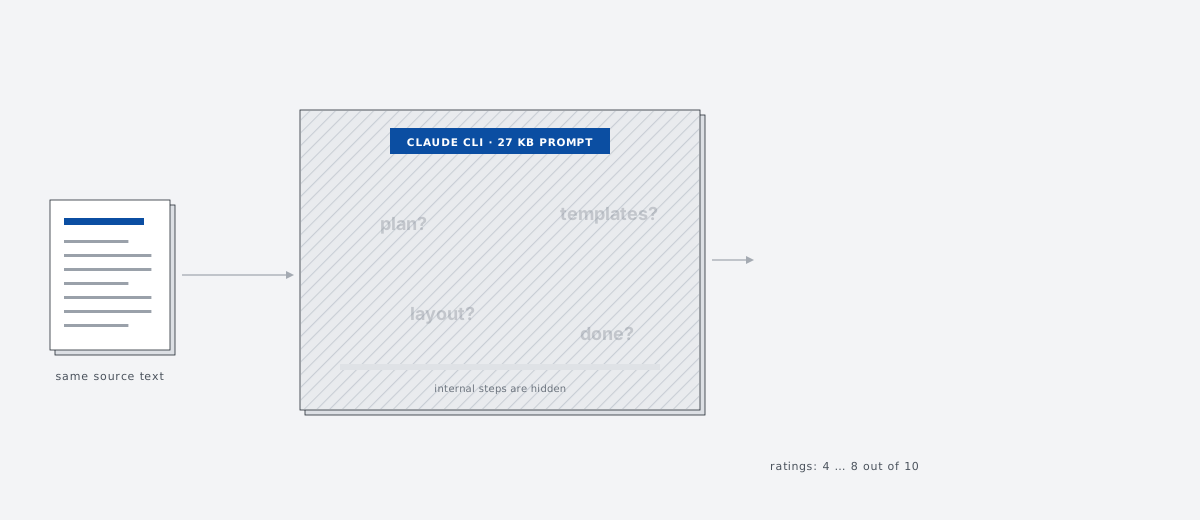
Claude did the work and managed the process at the same time: it read the text, planned slides, selected templates, laid them out, and decided when to stop. Everything it needed was in one prompt. Each new rule made the prompt larger.
Sometimes the presentation was good. Sometimes half an hour later it was weak, and I could not tell whether the problem was the plan, the template choice, or the layout. A new prompt rule could fix one thing and break another. Once, the agent had been running with its instruction file and template retrieval disabled, and the result did not make that visible.
Version two: six steps
I decomposed the agent’s work the way a designer works: planning, template selection, slide filling, screenshot and review, assembly, and saving. Each step has its own small prompt, input and output, timeout, and retry policy.
I built the second version in TypeScript. Next.js became the foundation for the interface and server layer, while Payload CMS provided the administration panel, authentication, and PostgreSQL integration. Puppeteer captured slide screenshots for review. There were two reasons to leave Python. An online slide editor was ahead, and a heavy front-end application is easier to maintain when the interface and server use one language. The second reason concerned the coding agent. In Python, data passed between components as dictionaries, so an agent could call a field slide_id in one place and slideId in another. The user would only see a blank slide. In TypeScript, the structure is declared once and the project fails to build when it diverges.
Temporal, a process orchestration engine, coordinates the steps. It starts steps, retries failures, enforces time limits, and keeps a history of every run. The process is described in code, which an agent can write and read well. A visual block diagram would have had to be assembled manually.
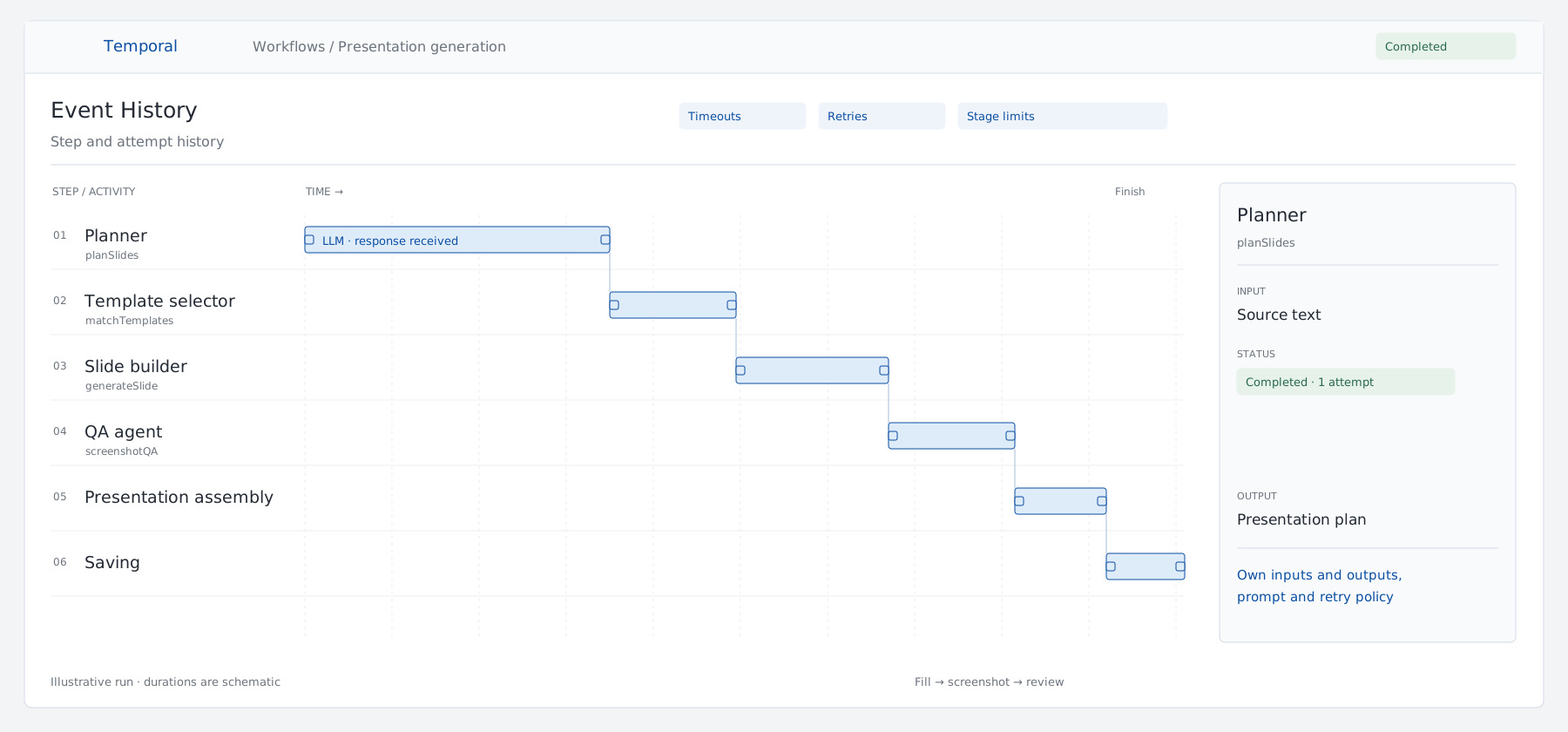
The first run produced six slides in 36 minutes, with scores from 4 to 8 out of 10. The Temporal timeline showed where the time went. Slides do not depend on one another, so I split filling them into parallel tasks, with stage limits of up to twelve workers at once.
I ran generation through Claude and Codex CLI. I also tested a small local model: Gemma 4 26B through Ollama could do the task, but took about 45 minutes for eight slides. Later, models were connected through OpenRouter.
Once errors were tied to a step, they became actionable. During generation the model wrote “traditional approach 35% versus new 92%”, although those numbers were not in the source. I added the rule “take numbers only from the source text” to that step’s prompt; the other steps stayed unchanged.
External context for the coding agent
The coding agent starts every session from zero. I used to retell decisions, forget something, and watch it bring back an approach we had rejected a week earlier.
I moved the context out of the repository into a task tracker on a separate server. It stores tasks, decisions, architecture, project rules, and session history. The agent reads the same data through an API as structured text; I see it on a board and an architecture graph. At the start of a session, the agent takes the rules, task card, neighboring tasks, the relevant architecture slice, and previous session notes. At the end it records the result and commit.
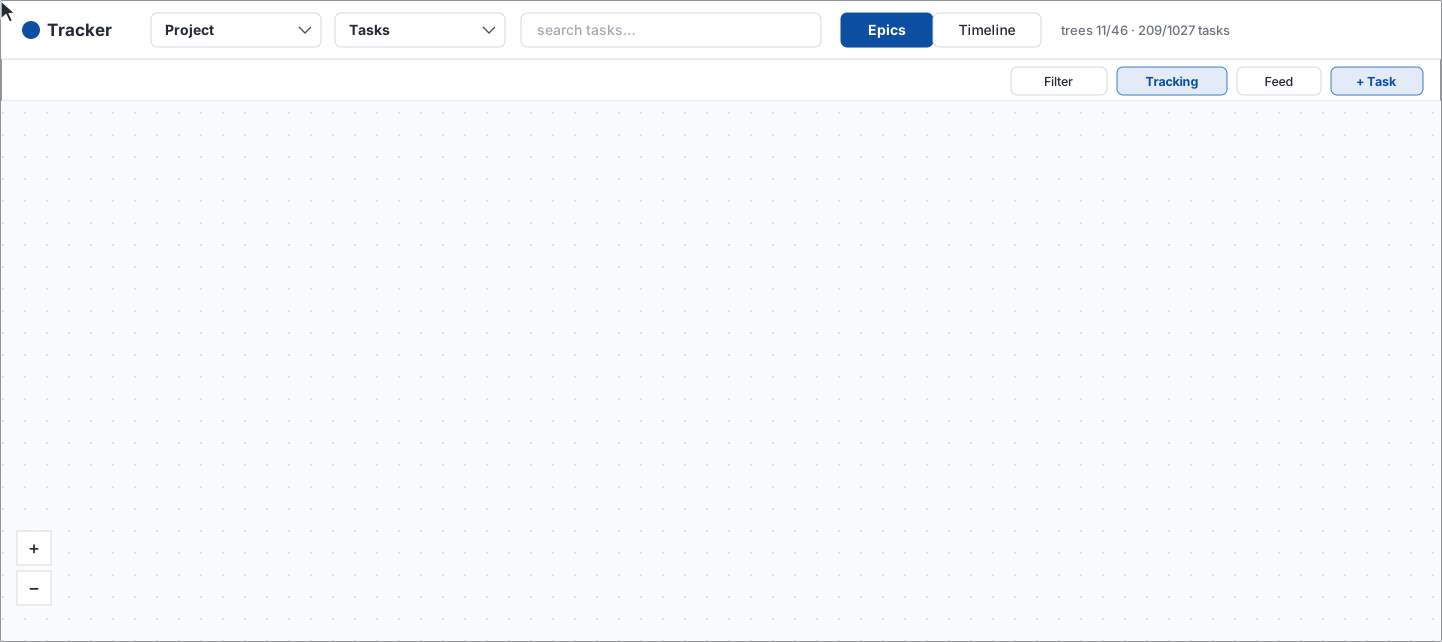
Old decisions are not erased. They are marked as replaced and linked to the new decision. Failed approaches remain as dead ends with a reason. When there were several agents, each task got its own git worktree. One agent executes the task, another reviews it, and I make the decision.
Template selection
Choosing a template for a slide was the hardest part.
I first cleaned up the library: 282 scattered templates became 132 canonical HTML templates. I described each template’s purpose, use cases, and synonyms. Those descriptions became embeddings in a Qdrant vector database. The query was built from the slide plan.
Semantic search found a template by topic but knew nothing about capacity. Five bullet points could land in a three-card template. The model then created a structural JSON description for every template from its HTML and PNG preview: grid, slots and nesting, repeating groups, minimum, maximum, and typical item counts, fixed elements, and overflow behavior.
It was unclear how to combine meaning and structure, so I made six process variants, each as a separate Temporal workflow. The main mode became repeated selection: choose a template, rewrite the text for it, then choose again. The others went into the tracker as dead ends with reasons.
Native PowerPoint: what the model decides and what code decides
Users needed editable PowerPoint files. Converting HTML lost details, so I considered about ten approaches and switched to building PPTX directly through a library. PPTX generation became a separate workflow.
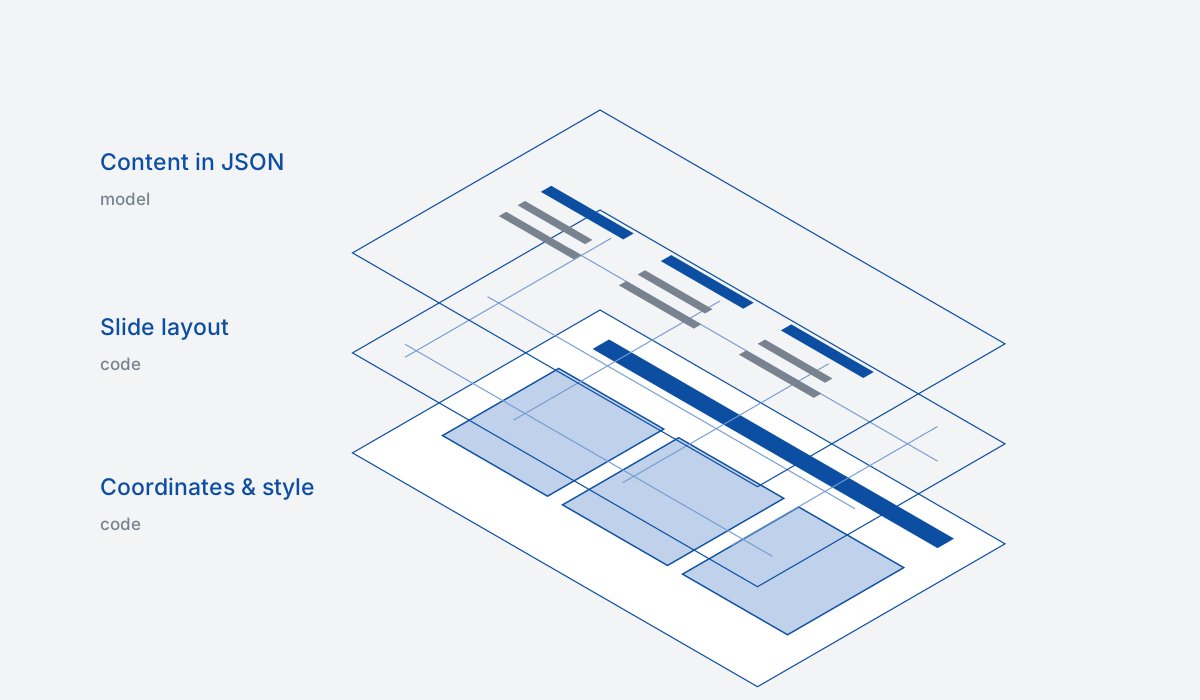
The responsibilities were separated more strictly. The model returns a JSON content specification. Code derives features from it, removes unsuitable forms from the registry, and scores the rest by record count, fields, capacity, and whether the slide can actually be built. Code calculates coordinates from the design tokens; the model does not.
When the registry has no suitable form, a composer builds one from primitives. It calculates zones with Yoga, a flexbox layout engine. The composer became the main path. New composer forms are not exposed to users until I approve them manually.
Once, all the text on a team slide was present, but roles were attached to the wrong names: pagination had mixed fields between records. Each record received a stable identifier and a check that its fields stayed together. Code compares numbers with the source text. Layout regressions are caught by seven reference cases rendered through LibreOffice and compared with a 1.5% threshold.
User testing
Before moving into the corporate perimeter, we ran two waves of user testing. Under each slide, users could give a score and mark a problem: wrong format, broken layout, invented numbers, or lost text. Scores and tags went to an analytics dashboard split by generation, slide, user, and template. I used this data to compare pipeline variants and find defects; fixes went into prompts and code. The model does not learn from the scores.
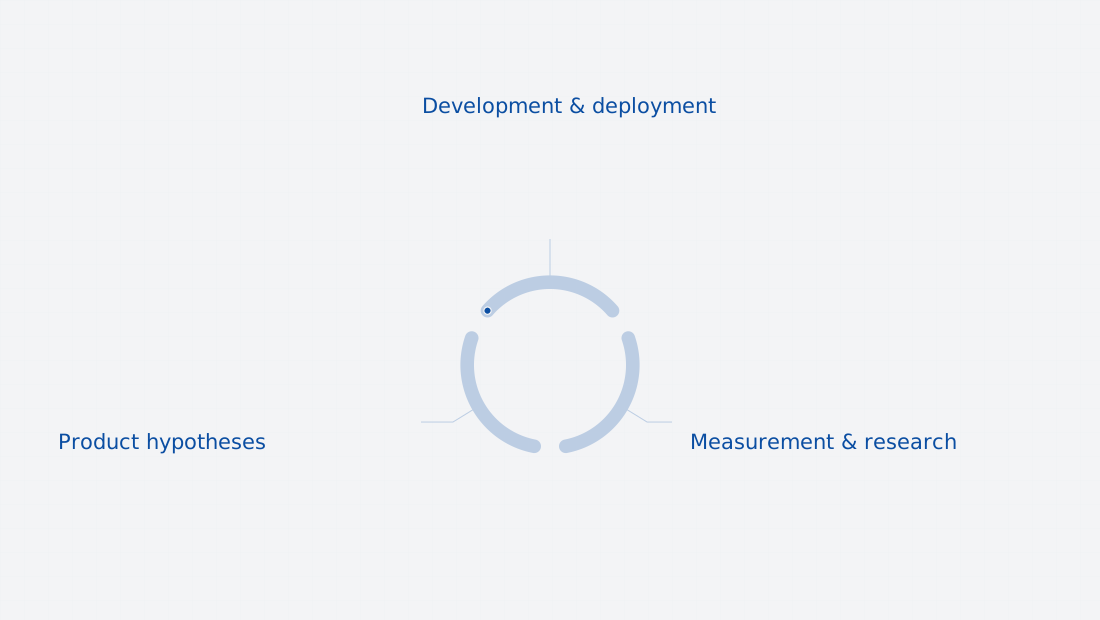
One tester wrote that the service did not work for him. In conversation, it turned out he needed one complex Gantt-chart slide. In a day I added a manual mode: the user chooses the template and text for each slide, automatic selection is skipped, and the system only fills and assembles the deck. The next day he confirmed that the task was solved.
Operations and the closed perimeter
Once a generation stopped for about two hours because the server ran out of memory. After that, I added deployment and rollback scripts, health checks, backups, and separate development and production environments.
The model address and selection moved into environment variables. The product talks to an OpenAI-compatible API and is independent of the provider. There are no external models inside the perimeter; moving between environments changes only configuration.
First we had to improve quality and PowerPoint export and let customers try the product. When the time came, I prepared an offline deployment kit with Docker images, scripts, and initial data. The pilot ran on Astra Linux with the application, worker, PostgreSQL, Qdrant, Temporal, and an embedding service. For information-security approval I prepared C4 diagrams and data-flow documentation and reviewed SAST and SCA results.
The production platform
To serve all employees, the product had to run on the corporate Kubernetes. I did not have enough experience with it to review an agent-written configuration, so the development team joined. It rewrote the codebase in the company’s standard stack: Java and Spring Boot on the server and React in the interface. Corporate login through Keycloak, a gateway to internal models, a PostgreSQL step queue instead of Temporal, and S3-compatible storage were added. Generation remained split into the same steps.
I kept the product logic, scenarios, requirements, quality, priorities, and acceptance. I assigned tasks to the team the same way I assigned them to agents: goal, context, acceptance criteria, and result review.
In October the product was accepted. In an interim survey, 97% of participants said they were ready to work with it. Access is now being rolled out to all employees.
What I understood
Give a large task to an agent in parts, each with its own input, output, and prompt. Make the agent’s work visible, or errors will be fixed by guesswork. The coding agent’s context should live outside the session and outside a person’s head, together with decisions and dead ends. Models can work with content; code is more reliable for geometry and fact checks. Collect user feedback as data and test hypotheses from it quickly.
One thought ran through the whole project: we need to see the agents’ work. Highlighted blocks in n8n, Temporal tracks, a task board, and an architecture graph. There will be more agents, and they will work with one another. People will need a way to see that work, and that is what I plan to work on next.